- Apple's iWork Apps Get 'Intelligent Assistant'...
 by Juli Clover on October 22, 2026 at 8:15 pm
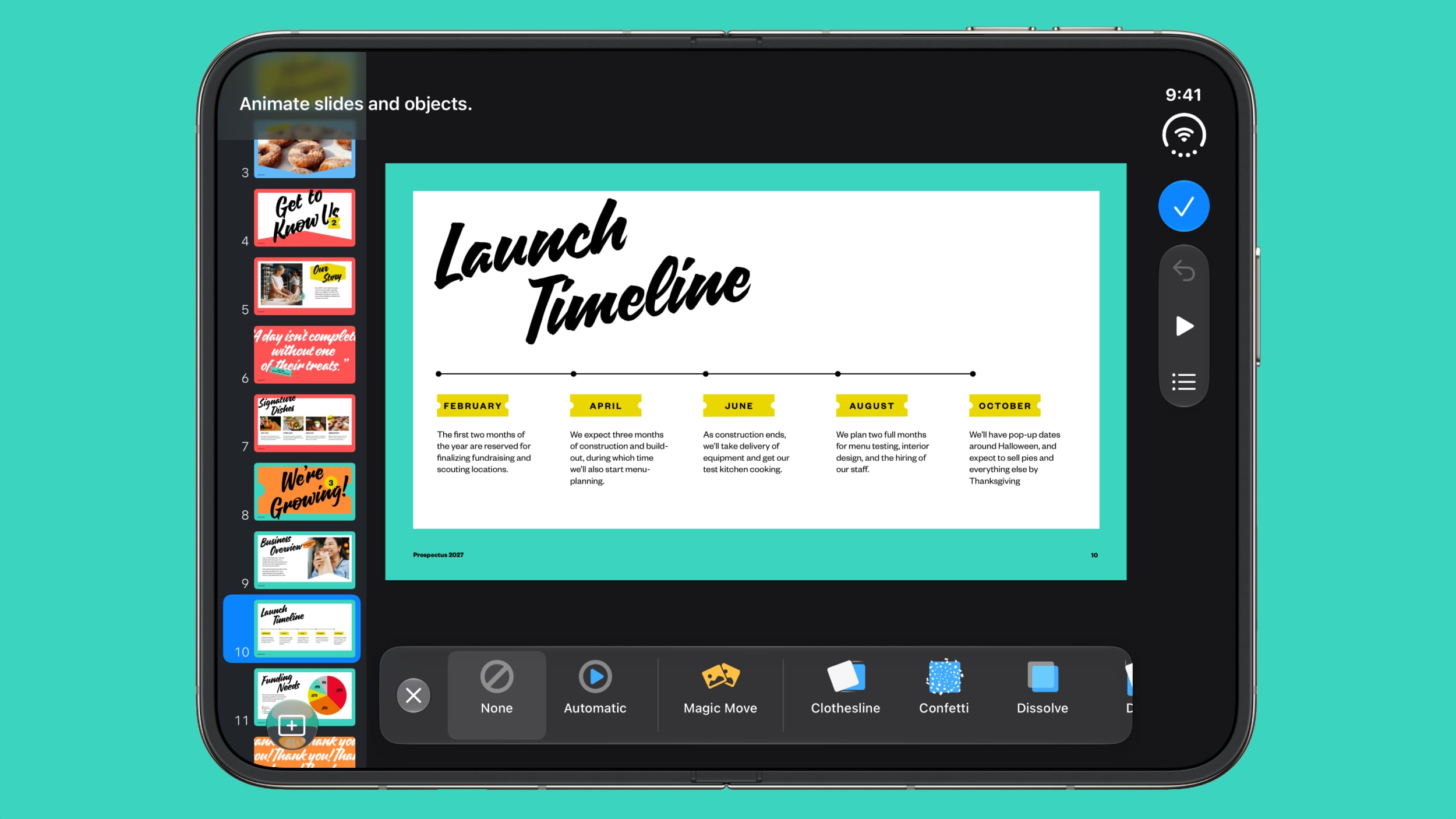
Apple today added an "Intelligent Assistant" to Keynote, Numbers, and Pages. The feature is available in beta for Apple Creator Studio subscribers. The update is available again following the temporary removal of the apps from the App Store. In Numbers, Intelligent Assistant can build formulas, visualize data, help generate formulas with natural language, and generate tables. The Pages Intelligent Assistant can start a first draft, and "edit, organize, and elevate your writing." It can draft sections, adjust tone, and generate images or shapes using natural language. With Keynote, Intelligent Assistant can help build and refine slides, add animations, create presenter notes, and generate images and shapes. For all three apps, Intelligent Assistant can search for information on a topic on the web and then add it to a document. Apple says Intelligent Assistant can also walk users through using advanced features or make suggestions on what to try. Along with Intelligent Assistant, Creator Studio subscribers also have access to new templates and themes, as well as curated videos that can be found in the Content Hub. For all users, the apps include bug fixes and performance improvements. Keynote also has an Interchange Format for importing and exporting presentations. Though not mentioned in the release notes, the updates also add iPhone Duo support to all three apps. Keynote, Numbers, and Pages are free apps, but they have extra capabilities available with a Creator Studio subscription. Creator Studio is priced at $12.99 per month, and it works across all of Apple's creator apps.Related Roundup: iPhone DuoTags: iWork, Keynote, Numbers, PagesBuyer's Guide: iPhone Duo (Buy Now)Related Forum: iPhoneThis article, "Apple's iWork Apps Get 'Intelligent Assistant' and iPhone Duo Support" first appeared on MacRumors.comDiscuss this article in our forums
- iPhone Duo hands-on review, Apple announces...
 by Chance Miller on October 22, 2026 at 8:13 pm
Ahead of its official launch, Chance has spent a week with the iPhone Duo and he is here to tell us all about his experiences with Apple’s new foldable phone, including the various poses, state of the software, Touch ID versus Face ID, battery life and more. Also, Apple announces yet another product event, so we preview what the company is preparing to ‘Pro and tell’ us. And in Happy Hour Plus, Benjamin tests the new HomePod Sound Glow feature, and Apple says its new Apple Music logo was “built by sound”. Subscribe at 9to5mac.com/join. Sponsored by Copilot Money: Get two months free with code 9TO5MAC at copilot.money/9to5mac. Sponsored by Framer: The only free design tool that brings your ideas to the web. Visit framer.com/happyhour for 30% off a Framer Pro annual plan. Sponsored by Perplexity Computer: Start your free trial of Perplexity Computer today at pplx.ai/happyhour and experience the next phase of AI. Sponsored by Keeper: Get 60% off personal and family plans at keepersecurity.com/HAPPYHOUR. more…
- Apple is Apparently Considering a Slightly Larger...
 by Joe Rossignol on October 22, 2026 at 8:10 pm
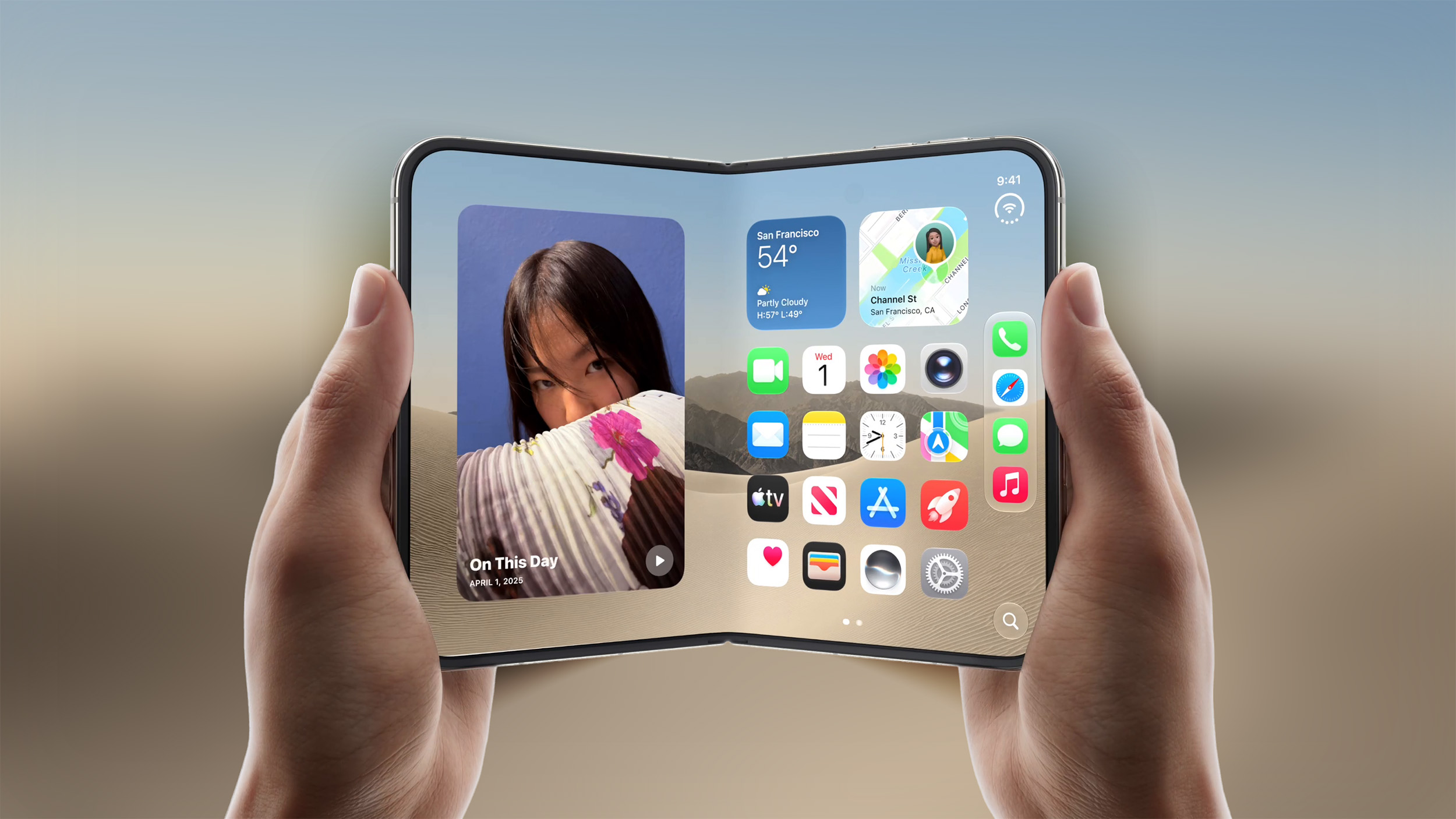
On a new episode of his Power On podcast, Bloomberg's Mark Gurman said he "heard" that Apple is "looking at" the idea of a future iPhone Duo with an inner display that is "roughly half an inch" larger than the one on the existing model. iPhone Duo has a 7.6-inch inner display and a 5.4-inch outer display. Gurman does not know exactly how much larger the inner display would be on a future model, but he said it could be somewhere in the 7.9-inch to 8.1-inch range. He said this would not be a separate model, so do not expect an "iPhone Duo Max."Related Roundup: iPhone DuoTag: Mark GurmanBuyer's Guide: iPhone Duo (Buy Now)Related Forum: iPhoneThis article, "Apple is Apparently Considering a Slightly Larger iPhone Duo" first appeared on MacRumors.comDiscuss this article in our forums
- Apple accidentally reveals Google Workspace AI...
 on October 22, 2026 at 7:07 pm
Macworld Earlier this year, Apple introduced its Creator Studio subscription service. For a reasonable monthly or annual fee, Creator Studio bundles some of Apple’s most popular productivity apps, including Final Cut Pro, Logic Pro, and Photomator, into a fully connected suite, and unlocks exclusive AI-centric perks in the free iWork suite, allowing users to choose from premium templates and generate photos in Pages, Numbers, and Keynote. However, compared to the Gemini integration in Google Workspace, the AI offerings in Creator Studio are somewhat lackluster. That, however, is seemingly about to change. According to a Pages update that was briefly published to the App Store, Apple is about to expand the AI toolbox in iWork, providing subscribers with a Google Workspace-like experience. Meet Intelligent Assistant As stated in the release notes of a now-pulled Apple Pages update, Creator Studio apps will soon adopt a Gemini-like tool called Intelligent Assistant. Per the change log, the beta feature requires iOS 27 and will allow Creator Studio users to: Start a first draft, then edit, organize, and elevate your writing with an assistant that understands your document; Get guidance on where to start, learn how to use advanced features, or try a suggestion to see what’s possible; Draft a section, adjust your tone, or generate images and shapes using natural language Search for up-to-date information on a topic and incorporate it into your document. Foundry Based on the official description, it appears that Intelligent Assistant will significantly elevate the existing Writing Tools with deeper document context awareness, help research topics using fresh information, and more. While users can already achieve similar results using Siri AI on iOS 27, it seems Intelligent Assistant will be more deeply integrated into Pages, Numbers, and Keynote, providing a more intuitive ideation, creation, and editing flow. Other Creator Studio perks included with the removed update include “a new collection of professionally-designed templates,” along with curated videos in the Content Hub “that add motion and depth to your document.” Where’s the update? I was able to download Pages version 15.4.1 right after Apple published it and before its swift removal. However, despite having an active Creator Studio subscription, I was unable to locate or use the all-new Intelligent Assistant. This suggests that the company either accidentally posted a change log meant for a future update or failed to correctly implement the new AI tools. Regardless, at the time of writing, Pages, Numbers, and Keynote are completely unavailable to download from the U.S. App Store—presumably until Apple resolves the matter. Whether we see Intelligent Assistant in the coming days or it’s pushed for a few months, one thing is clear: Apple is finally aiming to take Creator Studio to the next level for AI power users. Update: The apps appear to be back in the stores, though without the new Intelligence Assistant feature.
- Giant iPhone Duo Displays Coming to Four Apple...
 by Joe Rossignol on October 22, 2026 at 6:50 pm
To celebrate the launch of the iPhone Duo this Friday, Apple has set up oversized iPhone Duo promotional displays at Apple Fifth Avenue in New York City, Apple Covent Garden in London, Apple BKC in India, and Apple Jing'an in Shanghai. The installations were already spotted under wraps, and Apple CEO John Ternus has since revealed what they look like in a photo of Apple Jing'an shared on his Weibo account today. The oversized iPhone Duo displays have mirrored finishes and glowing edges, and they show the device in various positions, or poses as Apple calls them. Ternus is expected to be at Apple Fifth Avenue for iPhone Duo launch day. Apple said that its stores in the U.S. and select other countries will have "limited" availability of the iPhone Duo for walk-in customers tomorrow. Thanks, Filip Chudzinski!Related Roundup: iPhone DuoTag: Apple StoreBuyer's Guide: iPhone Duo (Buy Now)Related Forum: iPhoneThis article, "Giant iPhone Duo Displays Coming to Four Apple Stores" first appeared on MacRumors.comDiscuss this article in our forums
